WINDOWS APP · BY ĐẶNG VĂN TIẾN
TD-WallpaperEngine
Images and videos, right on your desktop.
TD-WallpaperEngine is a Windows wallpaper app by Đặng Văn Tiến. Use images or videos as your wallpaper, organize a library and rotate wallpapers on a schedule.
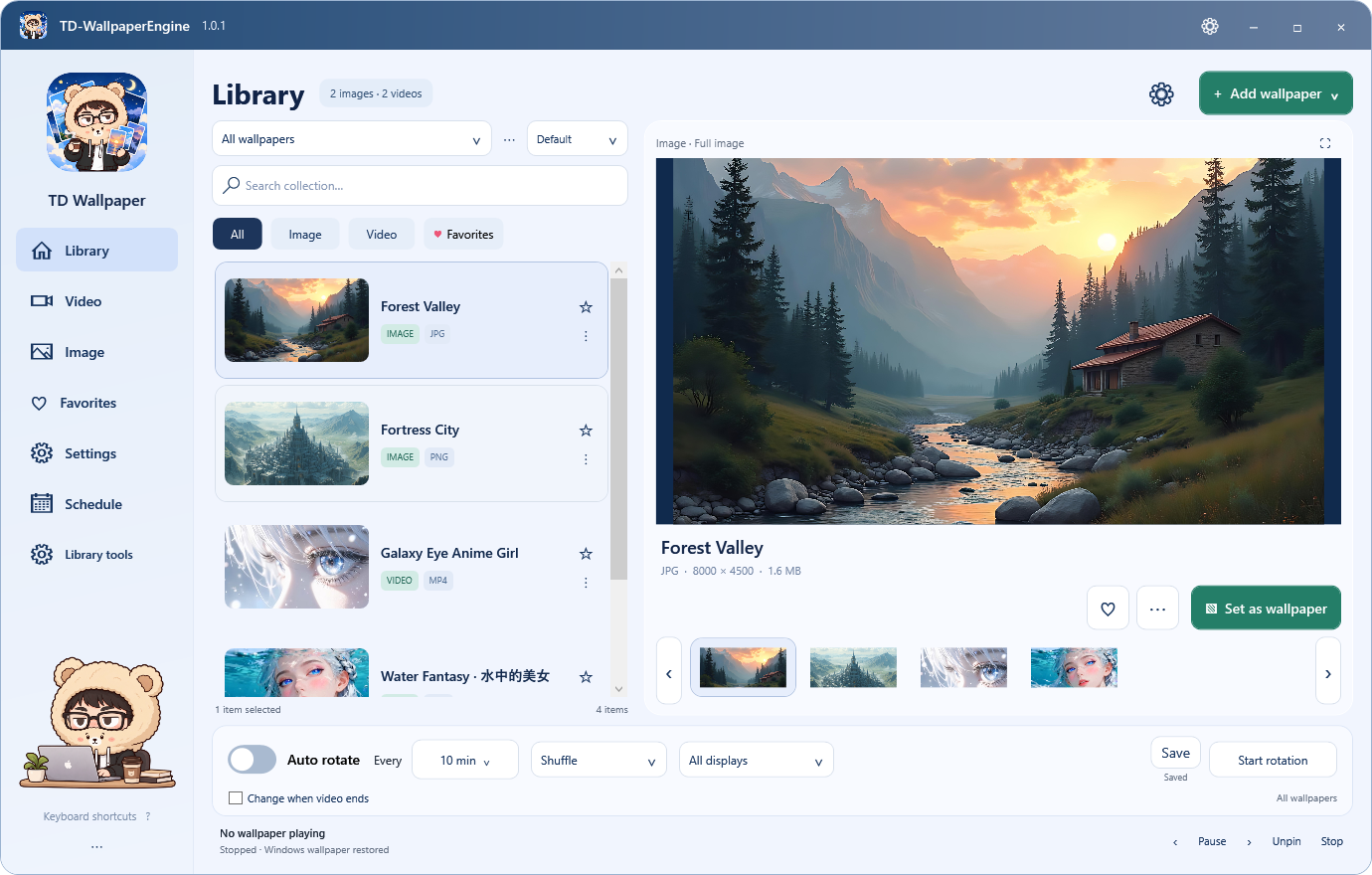
WHAT IT DOES
A wallpaper library, with a few extras.
Images and videos
Preview a wallpaper before applying it. Supports MP4 and WebM video.
Import your wallpapers
Add files or folders, drag and drop media, or download from a direct URL or YouTube.
Your own library
Organize collections, mark favorites and find the wallpapers you use most.
Scheduled rotation
Choose an interval, shuffle order and target monitor.
Playback controls
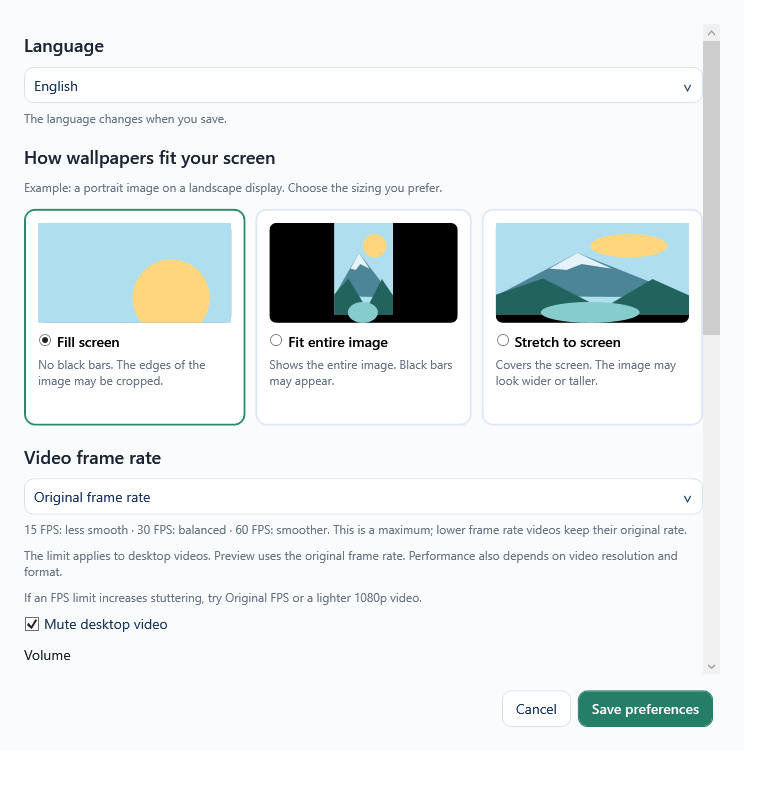
Adjust display fit, volume and frame rate: original, 15, 30 or 60 FPS.
Library maintenance
Find missing files, reconnect moved folders, back up media and undo cleanup.
PLAYBACK & PERFORMANCE
Pause when you need the resources.
Set the app to pause video wallpapers when another app is fullscreen or maximized, when running on battery, or through per-app rules.
The optional memory-saving mode releases the player while paused. You can also adjust FPS, volume and how the wallpaper fits your screen.
QUICK START
Download, pick a wallpaper, apply.
- Download the installer, or extract the portable ZIP and run TienDang.Wallpaper.exe.
- Try a bundled wallpaper or use Add wallpaper to import your own files or a URL.
- Select a wallpaper to preview it, then choose Set as wallpaper.
- Enable automatic rotation if you want to cycle through your collection.
Closing the window keeps the app running in the system tray. Choose Exit in the tray menu to stop it completely.
WINDOWS 10 / 11 · 64-BIT
Get TD-WallpaperEngine.
The GitHub release page has an installer and a portable ZIP. The latest release is always available through the link below.
- Requires Windows 10/11 x64 and a GPU with Direct3D 11 support.
- The required runtime and media tools are included; no separate .NET or player installation is needed.
- Exit the previous version before installing an update. Your library and settings are preserved.
This is my own app. It runs independently of Steam and Wallpaper Engine. About Tiến ↗